[Tutorial] how to make a 100x100 Icon/bumper (PS)
Posted: 22 Dec 2025, 03:14
I use PS CS6.
Click to see the photos bigger
#agtutorial
Click to see the photos bigger
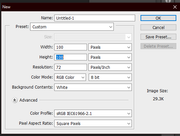
- Create a 100x100 file in photoshop
- Get an image. I'm going to use one of Soren's photos from the main site.
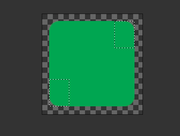
- Create a rounded rectangle with a radius of 10px and size of 85x85px. Color does not matter.

- Create a 20x27 rectangle (in the same color you used for the rounded one to make it much easier) and put it on the top right corner, replacing the rounded spot. Do the same for the bottom left corner. After this, Left click on any layer and select merge visible.
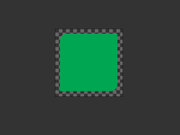
- Now for the fun part! Copy the image you want, paste it, adjust it or whatever, and add a clipping mask. Right click your pasted image, and a menu should appear, click on "create clipping mask".
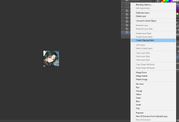
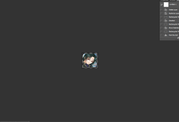
- Now add a stroke to the merged rectangle. Set it to 2px, and choose a color that matches your image.
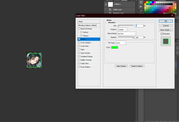
- Now add text!
- Save the image as a png and here you are!

#agtutorial